VerizonOutage

Verizon Outage in Michigan

Check live Verizon outage reports in Michigan, including internet outage, WiFi outage, fiber outage, wireless outage, and phone outage status. View the outage map, ZIP code reports, and recent user updates in your area.

Verizon outage Michigan map

Last updated: No reports yet

0

Today

0

Last hour

0

Last 48h

Red dots = reported outages · Click any dot for details · Clusters expand on click / zoom

48h7 daysOlder

Recent outage reports

No recent reports in Michigan.

Report an outage in Michigan

No ZIP or city needed — you're already on the Michigan page.

Help your neighborhood — share your outage in seconds so friends and neighbors in Michigan stay informed.

Your report will be added to live Michigan outage data.

Is Verizon down in Michigan right now?

The statewide console on this page tracks Verizon outage reports across Michigan. Green means quiet statewide volume, amber means elevated reports in one or more metros, and red means a multi-city spike. Drill into city pages for neighborhood-level status.

Verizon outage Michigan— live map & status

Use the live Verizon outage map on this page to compare report volume in Michigan against a quiet baseline. Spikes usually mean an Verizon internet, WiFi, fiber, or wireless outage affecting neighbors — not just your modem. Cross-check with ZIP lookup and nearby city pages linked below.

Common causes of Verizon outages in Michigan

Every state has its own outage-cause profile. In Michigan, the most common recurring drivers we see are severe weather, planned overnight node maintenance, backbone fiber cuts from construction, and utility power events that take amplifiers offline. Regional backbone failures typically show up as a simultaneous spike across multiple Michigan metros — that's what the statewide console above catches first.

Verizon internet outage Michigan: what to do

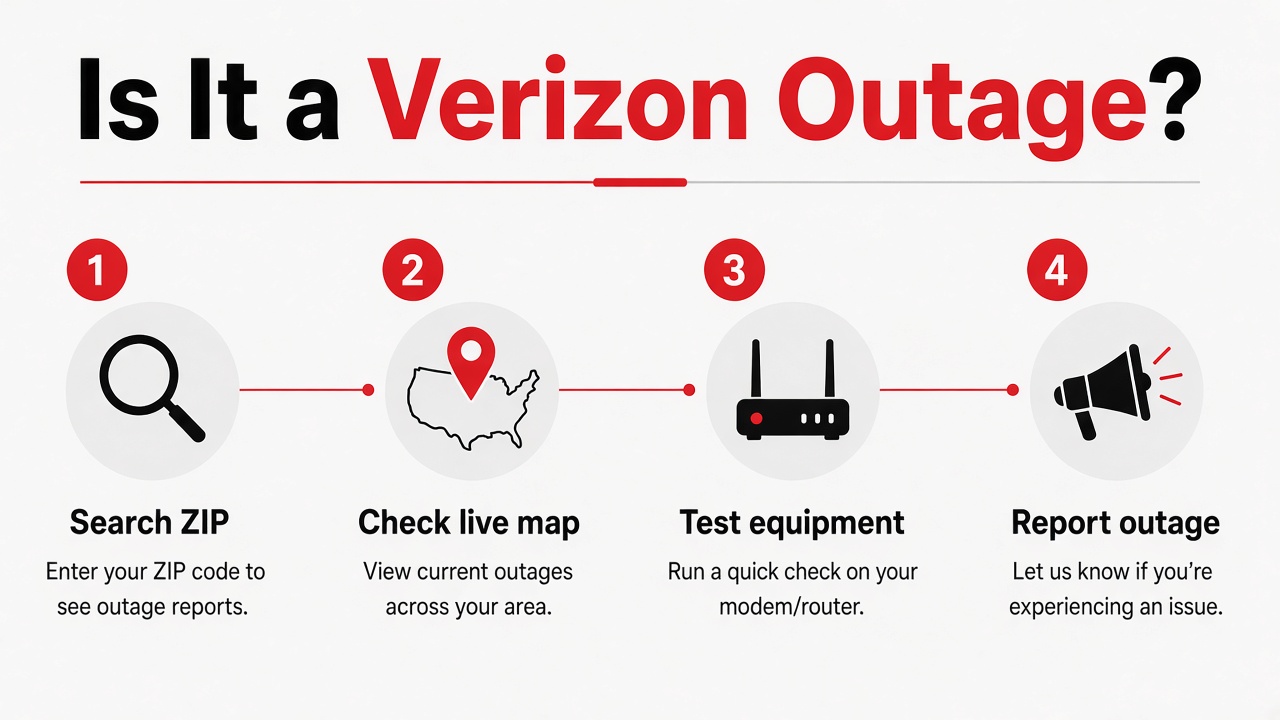
  1. Check the live console above — statewide report volume tells you if this is a multi-city event in Michigan.
  2. Drill into your specific city page for neighborhood-level detail.
  3. If the map is quiet in your area, try a modem reboot before assuming it's Verizon.
  4. Document the outage start time in case you request a bill credit later.
  5. Submit a report so other Michigan customers know it's not just them.

Michigan outage landscape — what actually causes them

Statewide Verizon uptime in Michigan is driven mainly by severe weather, planned overnight node maintenance, backbone fiber cuts from construction, and utility power events that take amplifiers offline — the storm season and peak summer heat window is when regional outage events tend to cluster. Verizon's Michigan plant leans on a mix of aerial and underground plant across the Verizon footprint, so grid or weather events routinely show up as simultaneous Verizon outages across Detroit, Grand Rapids. When you see a statewide spike on the console above, it's often either a backbone fiber event or a utility-driven power event moving across regions such as Detroit, Grand Rapids, Lansing, Flint.

When will Verizon be back on in Michigan?

Most Verizon outages in Michigan clear within a few hours once technicians isolate the node, fiber cut, or wireless sector. Watch the report feed on this page — when new reports slow and older markers age out, service is usually recovering. For multi-hour Verizon service outages, document start time and ask Verizon for a bill credit after restoration.

Michigan Verizon quick facts

Primary power utilities
local electric utilities
Peak outage season
storm season and peak summer heat
Watch regions
Detroit, Grand Rapids, Lansing, Flint

Get a bill credit for this outage

If Verizon is down for hours in Michigan, screenshot this page with the timestamp and call 1-800-922-0204 to request a prorated bill credit. Mention the start and end time of the outage.

Call 1-800-922-0204

The outage information on this page is based on user reports and local service indicators.

Verizon Outage FAQ for Michigan

Michigan pages:

Outage tools:

Related pages for Michigan customers:

Is Verizon Down Right Now?

Check the live map, report your outage, or look up your ZIP for local status.

verizonoutage.org is an independent community tracker — not affiliated with Verizon™

Verizon Outages by City and State

Looking for information about an Verizon outage in your city or state? Service interruptions can vary significantly from one location to another. Internet, fiber, wireless, cellular, WiFi, and phone service may be working normally in one city while customers in another area experience connectivity problems.

Use our city and state directory to find local Verizon outage information, check service conditions near you, and explore outage reports for your area.

Whether you are searching for an Verizon outage near me, Verizon outage in my area, Verizon internet outage by city, or current network problems in a specific location, choosing your city can help you find information that is more relevant than nationwide outage reports.

Find Verizon Outages in Your City

Verizon operates services across many cities and states throughout the United States, but network conditions are not necessarily the same everywhere.

A service problem may affect:

  • One neighborhood
  • A group of streets
  • One ZIP code
  • Several ZIP codes
  • Part of a city
  • An entire metropolitan area
  • Multiple nearby cities
  • A larger region

Because outages can be highly localized, checking the page for your specific city and state can provide a better view of nearby service conditions.

Select your location from the city directory above to check local outage information.

Verizon Outage Near Me

One of the most common questions during a service interruption is:

Is there an Verizon outage near me?

If your internet suddenly disconnects, your fiber connection stops working, or your mobile phone loses service, determining whether other customers nearby have the same issue should be one of your first steps.

Searching for Verizon outages near me or an Verizon outage in my area can help distinguish a local network problem from an issue affecting only your home, account, equipment, or device.

If several Verizon customers in the same city or neighborhood experience problems at approximately the same time, a wider local outage may be occurring.

Verizon Outage in My Area

An Verizon outage in my area does not necessarily mean the entire city is offline.

Modern internet and wireless networks consist of many different pieces of infrastructure. Different neighborhoods can connect through different equipment, fiber routes, network facilities, or cellular towers.

As a result, customers on one side of a city may have normal service while another neighborhood experiences an interruption.

This is why local outage pages are useful.

Instead of relying entirely on nationwide reports, you can check outage information associated with the city where you actually use your Verizon service.

Check Verizon Outage by City

Checking an Verizon outage by city can help narrow your search when service is unavailable.

City-specific outage pages can be useful for people experiencing problems with:

If your city is listed above, select it to view location-specific outage information.

Local information is particularly useful because a problem occurring hundreds of miles away may have no connection to the service interruption you are experiencing.

Verizon Outage by State

Users may also search for an Verizon outage by state when trying to understand whether network problems extend beyond a single city.

State-level outage activity can provide a broader perspective, but conditions can still differ significantly between cities within the same state.

For example, an internet outage affecting one metropolitan area does not automatically mean Verizon internet is unavailable throughout the entire state.

When possible, narrow your search from the state level to your city or local area.

This can help you identify whether the outage appears close to your service location.

Verizon Internet Outages by City

An Verizon internet outage may prevent customers from browsing websites, streaming video, playing online games, using connected home devices, attending online meetings, or accessing cloud-based applications.

If your Verizon internet stops working, first check whether the problem affects multiple devices.

When phones, computers, televisions, tablets, and other connected devices all lose internet access at approximately the same time, there may be a problem with your internet connection rather than one individual device.

Checking for an Verizon internet outage in your city can help determine whether other nearby users may be experiencing similar connectivity issues.

Internet Outage Near Me

People frequently search for an internet outage near me, internet outages near me, or an internet outage in my area when several devices suddenly lose connectivity.

Before assuming your internet provider is experiencing an outage, try opening multiple unrelated websites or applications.

Sometimes an individual website, streaming platform, game server, or online service experiences its own outage.

If many unrelated online services stop working across several devices, however, checking your city local internet outage information is a useful next step.

Verizon Fiber Outage by City

Fiber customers may experience a service interruption even though their gateway and other equipment inside the home still have power.

An Verizon fiber outage can potentially result from damaged fiber infrastructure, equipment failures, construction activity, power interruptions, maintenance, or other network problems.

If your fiber connection stops working across every connected device, check your city page for local outage activity.

If a wider fiber problem is affecting the area, repeatedly restarting your equipment will generally not repair infrastructure outside your property.

Verizon WiFi Outage in Your Area

Customers commonly describe an internet connection problem as an Verizon WiFi outage, although WiFi and internet service are technically different.

WiFi connects your phone, laptop, television, or other device to your gateway or router.

Your gateway then connects your home network to the internet.

This means you can sometimes remain connected to WiFi while having no internet access.

If your device displays a WiFi connection but websites and apps do not load, check whether other devices have the same problem.

If everything connected to your network is offline, look for an Verizon internet outage in your city before changing your WiFi settings.

Verizon Wireless Outages by City

An Verizon wireless outage can affect mobile network connectivity within a particular geographic area.

Depending on the issue, customers may experience problems with:

  • Making calls
  • Receiving calls
  • Sending text messages
  • Receiving text messages
  • Mobile internet
  • Cellular data
  • Network registration
  • Signal availability

Wireless outages can be particularly localized because different areas may depend on different cellular towers and network equipment.

If multiple Verizon phones around the same location experience similar problems, check your city for current wireless outage activity.

Verizon Cell Service Outage Near Me

If your phone suddenly displays No Service, reduced signal, or has difficulty connecting to cellular data, you may wonder whether there is an Verizon cell service outage near you.

Start by comparing your device with another Verizon phone nearby if one is available.

If only your phone is affected, the issue could involve your device, settings, SIM, software, or account.

If several Verizon devices lose cellular connectivity in the same area at the same time, a local cellular outage becomes more likely.

Check the appropriate city page to see whether network problems are being reported nearby.

Verizon Phone Outage by Location

Phone service interruptions can affect mobile phones as well as certain landline or home phone services.

If you are experiencing an Verizon phone outage, determine whether your internet or other Verizon services are also experiencing problems.

Multiple services becoming unavailable at approximately the same time can sometimes indicate a broader network or infrastructure issue.

Checking outage activity for your city may help determine whether the problem extends beyond your individual phone service.

Current Verizon Outages by Location

When looking for current Verizon outages, location matters.

A nationwide outage overview may show increased activity even though your particular city has normal service.

Similarly, a major local outage could create serious connectivity problems within one city without noticeably affecting nationwide service statistics.

Our location pages are designed to help users narrow outage information to the areas most relevant to them.

Choose your city and state above to check local service conditions.

Verizon Outage Today by City

People searching for an Verizon outage today usually want to know what is happening with their service right now.

Outage conditions can change throughout the day.

A problem reported in the morning may be restored later, while another city may begin experiencing an interruption in the afternoon or evening.

Because of these changes, checking the relevant city page can provide more useful context than reading old outage reports.

Common searches include:

  • Verizon outage today
  • Verizon outage today
  • Verizon outage near me today
  • Verizon internet outage today
  • Verizon wireless outage today
  • Verizon cell outage today
  • Internet outage today
  • Current Verizon outages

For the most relevant information, always check the city associated with your service location.

Check Outages by ZIP Code and City

Outages can sometimes affect only part of a city.

For this reason, users frequently look for an Verizon outage by ZIP code in addition to city-level information.

Two people living in the same city may have different service experiences because their homes connect through different parts of the network.

If ZIP-code or neighborhood information is available, use it along with your city to narrow the outage area further.

Location-specific information can be especially helpful in large metropolitan areas where different sections of the city may use different network infrastructure.

Local Outage vs Nationwide Outage

Losing internet or cellular service does not automatically mean there is a nationwide Verizon outage.

Most service interruptions can be much smaller.

A local Verizon outage might affect a neighborhood, several ZIP codes, or part of a city without affecting customers elsewhere.

A regional problem may involve multiple nearby communities.

A nationwide outage would involve service disruptions across a much larger portion of the country.

When your service goes down, checking your local city first can provide a clearer picture of the situation.

Is Verizon Down in My City?

If you are wondering “Is Verizon down in my city?”, first identify which service is not working.

For home internet, test several connected devices.

For wireless service, compare multiple phones if possible.

You can then check your city outage page for nearby network activity.

If many users in the same location are experiencing similar problems, the issue may involve the wider Verizon network.

If your location shows little or no outage activity, troubleshooting your individual connection may be appropriate.

How to Tell If an Verizon Outage Is Local

A few signs can suggest that a service problem is affecting more than your individual connection.

You may notice:

  • Neighbors reporting the same internet problem
  • Several Verizon mobile phones losing signal
  • Multiple homes losing fiber service
  • Internet connectivity disappearing suddenly across all devices
  • Phone and internet service becoming unavailable together
  • A noticeable increase in outage activity around your location

These signs do not provide absolute confirmation, but they can help you understand whether a broader local problem may be occurring.

Why Do Verizon Outages Affect Some Cities but Not Others?

Networks are geographically distributed.

Verizon services in different cities and even different neighborhoods may depend on separate fiber routes, cellular towers, network equipment, power systems, and infrastructure.

A damaged fiber cable in one area, for example, may interrupt service locally without affecting customers elsewhere.

Likewise, a cellular tower problem can affect nearby wireless customers while mobile service remains normal across the rest of the city.

Possible causes of local outages include:

  • Fiber cuts
  • Damaged network cables
  • Construction activity
  • Equipment failures
  • Power outages
  • Severe weather
  • Cellular tower problems
  • Planned maintenance
  • Software problems
  • Infrastructure damage
  • Other technical network issues

The cause and geographic scope vary from one outage to another.

What Should I Do If Verizon Is Down in My City?

If outage information indicates a wider problem in your area, avoid making unnecessary changes to working equipment.

You can keep your gateway powered on and periodically check whether connectivity returns.

If another internet or cellular connection is available, you may be able to use it temporarily.

During a known external network outage, repeatedly restarting or factory-resetting your router will generally not speed up restoration.

Instead, monitor available outage information and official service updates.

What If No Outage Is Reported in My City?

If your city does not appear to be experiencing a wider outage, your problem may be specific to your service.

Check whether your modem, router, or gateway has power.

Make sure cables are securely connected and test multiple devices.

Restarting your gateway once may resolve a temporary connection problem.

For mobile service, restarting your phone or checking network settings may help determine whether the problem is device-specific.

If the service remains unavailable despite no wider outage being reported, official Verizon support may be necessary for account-specific troubleshooting.

How Long Do Local Verizon Outages Last?

There is no standard duration for an Verizon outage.

Restoration time depends on what caused the problem and what repairs are required.

A minor equipment problem may be resolved relatively quickly, while damaged fiber lines, severe weather, widespread power problems, or major infrastructure failures can require more extensive work.

An outage affecting one city may also be restored at a different time than an outage affecting another location.

For that reason, users should check the latest information for their specific city rather than relying on restoration estimates associated with another area.

Frequently Asked Questions About Verizon Outages by City

Select your city from the directory above to check local outage information. Service conditions can vary between cities, neighborhoods, and ZIP codes.

Find Verizon Outages Near You

Verizon service conditions can vary considerably by location, which is why checking Verizon outages by city and state can be more useful than relying only on nationwide outage reports.

Use the city directory above to find your location and check for Verizon internet outages, fiber outages, wireless outages, cellular problems, phone outages, and other network disruptions near you.

Whether you are searching for an Verizon outage near me, Verizon outage in my area, Verizon internet outage by city, current Verizon outages, or an Verizon outage today, selecting your city can help you focus on the service conditions most relevant to your location.

If a wider outage appears to be affecting your area, monitor the latest available status information while service is restored. If no local outage is reported and your service remains unavailable, basic troubleshooting or official Verizon support may be the appropriate next step.