
Seattle
THIS WEEK[98106] · 6d ago
Phone - On and off hours of no service for several days
Outage report
Updated
Tap a cluster to expand

Get notified near outages
OR
Get notified near outages
OR
Service mix
Seattle
THIS WEEK[98106] · 6d ago
Phone - On and off hours of no service for several days
Outage report

Seattle
OLDER[98101] · Oct 16
All services down - jamming
Outage report

Seattle
OLDER[98101] · Sep 26
All services down - phone not working
Outage report

Seattle
OLDER[98101] · Sep 25
All services down - No service
Outage report
Seattle
OLDER[98101] · Sep 25
All services down - Sos/ 0 bars / extended network
Outage report
Seattle
OLDER[98101] · Sep 23
All services down - Frequent drop in signal
Outage report
Check live Verizon outage reports in Seattle, Washington, including internet outage, WiFi outage, fiber outage, wireless outage, and phone outage status. View recent reports, affected areas, and ZIP code updates.
Phone - On and off hours of no service for several days
18:01
6d ago
All services down - jamming
20:54
Oct 16
All services down - phone not working
05:46
Sep 26
All services down - No service
19:31
Sep 25
All services down - Sos/ 0 bars / extended network
06:26
Sep 25
All services down - Frequent drop in signal
20:02
Sep 23

Phone - Signal and data work. Very Very slow service
08:38
Sep 17
All services down - Service down
08:35
Sep 17
Internet only - Affecting mobile on one device (service)
00:38
Sep 16
All services down - Calls won’t go through
07:00
Sep 11
No ZIP or city needed — you're already on the Seattle page.

If home internet, Wi-Fi, mobile data, or phone service fails in Seattle, start by learning whether the problem is only at your place or shared nearby. Outages can come from network faults, weather, power loss, maintenance, or equipment inside the home.
Right now in Seattle, community tracking shows 0 reports in the last hour, 10 today, and 0 in the recent 48-hour window. Use the map and neighborhood list on this page to see whether the issue is near you.
Live data for Seattle: 0 reports in the last hour and 10 today, with 0 in the recent tracking window. That suggests active local disruption. Check neighborhoods and ZIPs on this page and confirm official status in My Verizon.
Compare report volume in Seattle against a quiet baseline. Rising clusters usually mean neighbors are offline too, not just your modem. Cross-check with ZIP lookup and nearby city pages linked below.
Use this visual guide before you reset equipment repeatedly. Start with local reports, confirm on the map, then troubleshoot only if the problem looks limited to your home.
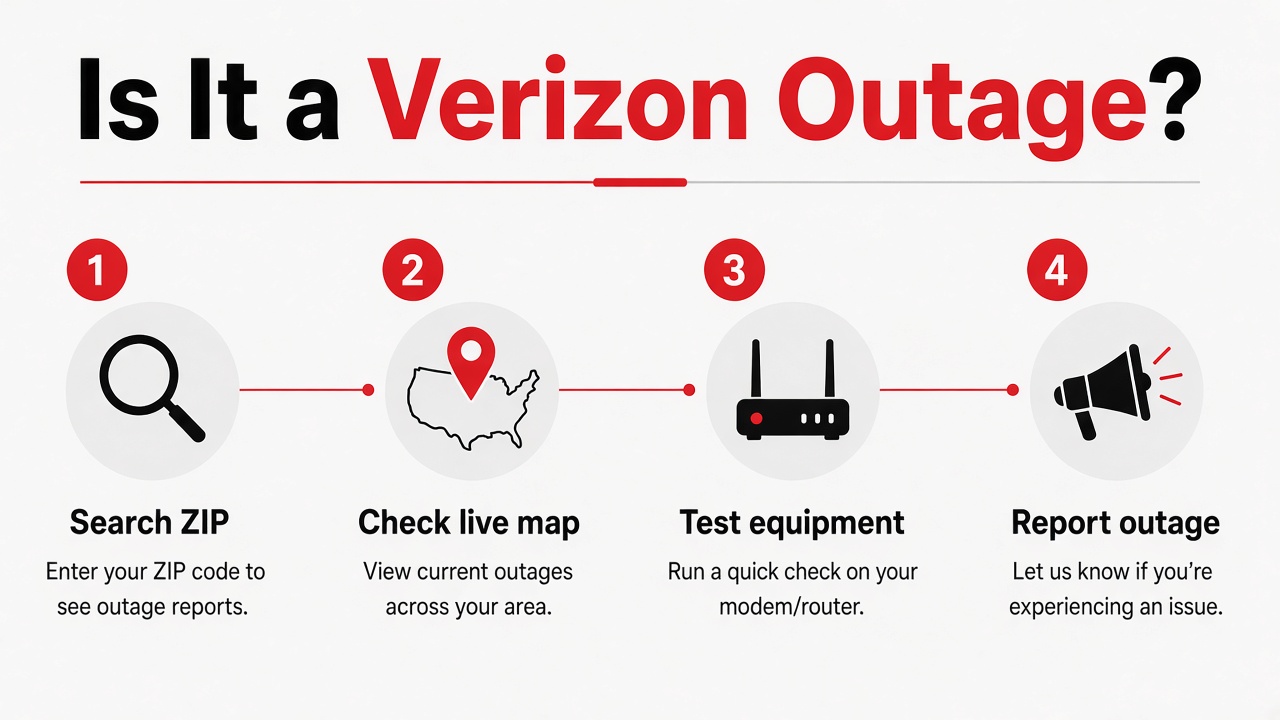
STEP 01
Search your ZIP or city
See whether neighbors are reporting the same Verizon problem right now.
STEP 02
Check the live map
Compare clusters near you versus a single-home equipment issue.
STEP 03
Test your equipment
If reports are low, restart the gateway once and test more than one device.
STEP 04
Report what you see
A quick community report helps confirm a local outage in minutes.
Public YouTube troubleshooting guide for Verizon Fios when devices show Wi-Fi connected but pages will not load. Open on YouTube.
Seattle, WA sits on a mix of aerial and underground plant across the local footprint. Common drivers here include severe weather, planned overnight maintenance, backbone fiber cuts from construction, and utility power events. When report volume rises across areas such as downtown, capitolhill, the live console often lights up early. Watch ZIP codes like 98101, 98102 for the first neighborhood spikes.
Most outages in Seattle clear within a few hours once technicians isolate the node, fiber cut, or wireless sector. Watch the report feed on this page — when new reports slow and older markers age out, service is usually recovering. For multi-hour interruptions, document start time and ask for a bill credit after restoration.
Screenshot the Seattle report spike with the timestamp. Call 1-800-922-0204 with the start and end time to request a prorated credit for multi-hour outages.
Call 1-800-922-0204The outage information on this page is based on user reports and local service indicators.
Check the live map, report your outage, or look up your ZIP for local status.
verizonoutage.org is an independent community tracker — not affiliated with Verizon™